EXSYS EX-60320 Manual

EXSYS bryter EX-60320

Læs gratis den danske manual til EXSYS EX-60320 (2 sider) i kategorien bryter. Denne vejledning er vurderet som hjælpsom af 8 personer og har en gennemsnitlig bedømmelse på 4.8 stjerner ud af 4.5 anmeldelser. Har du et spørgsmål om EXSYS EX-60320, eller vil du spørge andre brugere om produktet?

Side 1/2
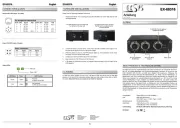
RJ45 Port
Pin Signal PoE (Mode) Pin Signal PoE (Mode)
1 BI_DA+ VCC+ (A) 5 BI_DC VCC+ (B) -
2 BI_DA VCC+ (A) 6 BI_DB VCC (A) - - -
3 BI_DB+ VCC (A) 7 BI_DD+ VCC (B) - -
4 BI_DC+ VCC+ (B) 8 BI_DD VCC (B) - -
6 5
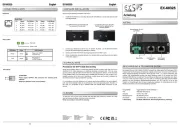
Der Ethernet PoE+ Splitter EX 60320 unterteilt das Signal eines PoE Versorgers (PSE) in - -
Daten und Stromversorgung und gibt beide Signale getrennt aus. So können auch nicht PoE-
fähige Ethernet Endgeräte (IP Kameras, WLAN Access Points...) an einem PoE Switch oder - - -
Standard IEEE 802.3at und stellt am DC Stecker eine Spannung von 12VDC mit einer Leistung -
von max. 21W zur Speisung des Endgerätes zur Verfügung. Die kompakte Konstruktion als
Adapterkabel bietet äußerst flexible Anwendungsmöglichkeiten.
1
BESCHREIBUNG & TECHNISCHE DATEN
AUFBAU
Anleitun
Vers. 1.0 / 01.12.22
E 6032
Kompatibilität: Ethernet 10/100Base -TX
PoE: IEEE 802.3af/at (PoE+)
Ausgang: 12VDC, max. 21W
Betriebssysteme: Alle Betriebssysteme
Anschlüsse: 1x RJ45 Buchse, 1x RJ45 Stecker 1x DC Stecker 5.5/2.1 mm, 12VDC - - , -
Lieferumfang: 60320, Anleitung EX-
Zertifikate:
HARDWARE INSTALLATION
CONNECTORS & LED'S
Switzerland:
EXSYS Vertriebs GmbH
Dübendorfstrasse 17
8602 Wangen
www.exsys.ch
Germany:
EXSYS Vertriebs GmbH
Industriestrasse 8
61449 Steinbach
www.exsys.de
12V DC Jack:
ATTENTION!
Power supply OUTPUT, NO connection for external power supplies!
Please pay attention to the correct polarity!
Status LEDs:
RJ45 Port:
To clean the device, please use only a dry, non fibrous cloth and remove the dirt with light -
pressure. In the area of the connections, please make sure that no fibers of the cloth are left in
the socket. Attention! Never use a moist or wet cloth for cleaning!
CLEANING
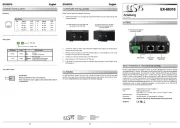
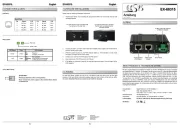
Please read the following installation instructions.
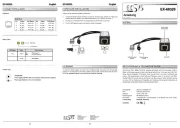
2. Connect the RJ45 network connector and the DC connector (pay attention to voltage and
polarity!) of the EX 60320 to your Ethernet end device (e.g. IP camera, IP phone...).-
3. Connect your PoE PSE (Power Sourcing Equipment) to the PoE In connector. -
4. The PoE LED lights up yellow, the device is ready for operation.
RJ45 Downlink-
(Daten)
PoE LED
RJ45 Uplink-
(PoE/Daten)
Stromausgang
12V DC
LED Name Color LED Function
PoE Yellow
On: PSE Power in
Off: no PSE Power in
- Green no funktion
no Function
PoE LED
-
+
or


Produkt Specifikationer

Mærke: EXSYS
Kategori: bryter
Model: EX-60320

Har du brug for hjælp?

Hvis du har brug for hjælp til EXSYS EX-60320 stil et spørgsmål nedenfor, og andre brugere vil svare dig


bryter EXSYS Manualer
bryter Manualer

Nyeste bryter Manualer

Lanberg

Lanberg DSP1-1008 Manual

4 December 2025
Lanberg

Lanberg DSP1-1005 Manual

4 December 2025
Praxis

Praxis PPL 1602 Manual

2 December 2025
Roline

Roline 21.13.1173 Manual

2 December 2025
Huawei

Huawei S220S-24P4J Manual

2 December 2025
Lanberg

Lanberg DSP1-0108 Manual

1 December 2025
Huawei

Huawei S310-48P4X Manual

1 December 2025
Roline

Roline 21.13.1137 Manual

1 December 2025