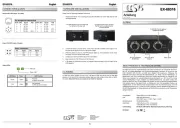
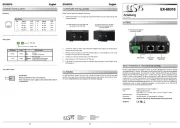
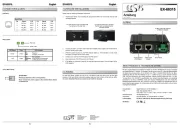
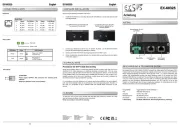
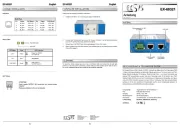
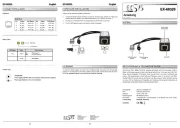
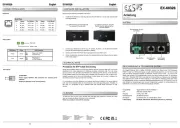
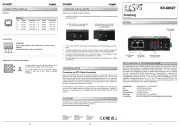
EXSYS EX-60327 Manual

EXSYS bryter EX-60327

Læs gratis den danske manual til EXSYS EX-60327 (2 sider) i kategorien bryter. Denne vejledning er vurderet som hjælpsom af 48 personer og har en gennemsnitlig bedømmelse på 4.9 stjerner ud af 24.5 anmeldelser. Har du et spørgsmål om EXSYS EX-60327, eller vil du spørge andre brugere om produktet?

Side 1/2
To clean the unit, use only a dry, lint free cloth and apply light pressure to remove dirt. Take -
care not to leave any fibres of the cloth in the connectors.
Never use a damp or wet cloth for cleaning!
CLEANING
Terminal Block:
V+ V- V+ V-
ATTENTION!
Power supply OUTPUT, NO connection for external power
Please pay attention to the correct polarity!
Digital display and variable output voltage:
6
5
Der Gigabit Ethernet PoE++ Splitter EX 60327 teilt das Signal eines PoE Servers (PSE) in - -
Daten und Stromversorgung auf und gibt beide Signale getrennt aus. Damit können auch nicht
PoE fähige Ethernet Endgeräte (IP Kameras, WLAN Access Points...) an einen PoE Switch - - - - - -
oder anderen PSE angeschlossen werden und dessen Stromversorgung nutzen. Er entspricht
dem PoE++ Standard IEEE 802.3bt. Die Spannung am Terminal Block zur Versorgung des
Endgerätes kann individuell zwischen 3VDC und 36VDC eingestellt werden. Die maximale
Ausgangsleistung beträgt 50W bei max. 10A. Durch das robuste Metallgehäuse und den
erweiterten Betriebstemperaturbereich von 40°C bis 75°C eignet sich der EX 60327 für eine - -
Vielzahl von Anwendungen auch in rauen Umgebungen. Zum Lieferumfang gehören ein
vormontiertes DIN Rack Kit und eine Wandmontagehalterung.- -
Kompatibilität: Gigabit Ethernet 10/100/1000Base T-
PoE: IEEE 802.3af/at/bt (PoE++)
Ausgang: - 3 36VDC, max. 50W/10A
Betriebssysteme: Alle Betriebssysteme
Anschlüsse: - 2x RJ45 Buchse, 1x Terminal Block
Lieferumfang: 60327, DIN Rail Kit, Wandmontagehalterung, Anleitung EX- -
1
BESCHREIBUNG & TECHNISCHE DATEN
AUFBAU
CONNECTORS & DISPLAY
HARDWARE INSTALLATION
Switzerland:
EXSYS Vertriebs GmbH
Dübendorfstrasse 17
8602 Wangen
www.exsys.ch
Germany:
EXSYS Vertriebs GmbH
Industriestrasse 8
61449 Steinbach
www.exsys.de
Italy:
EXSYS Italia Srl
Via Belvedere, 45/B
I 22100 Como -
www.exsys.it
E 6032
Anleitun
Vers. 1.0 / 20.09.24
Anzeige Ausgangs-
spannung/ strom-
RJ45 Downlink-
(Daten)
RJ45 Uplink-
(PoE/Daten)
Stromausgang
via T Block-
Please read the following installation instructions.
1. - -Install the EX 60326 on a mounting rail using the DIN Rail kit or on the wall using the wall
mounting brackets.
2. Connect your PoE PSE (Power Sourcing Equipment) to the Ethernet uplink port (PoE++
Data).
3. The digital display will now show the set output voltage. Use the supplied screwdriver to
set the correct output voltage for the end device you wish to power with the EX-60327.
4. Connect your Ethernet end device (e.g. IP camera, IP phone, ...) to the Ethernet downlink
port (Data) and the terminal block (pay attention to the polarity).
5. The digital display will now show the power consumption of the terminal device in addition
to the voltage.
The DIN Rail Kit is pre assembled with - -
two screws on the rear side
To install the wall mount, the DIN-
Rail kit must be replaced by the
mounting bracket
RJ45 Port
Pin Signal PoE (Mode) Pin Signal PoE (Mode)
1 BI_DA+ VCC+ (A) 5 BI_DC VCC+ (B) -
2 BI_DA VCC+ (A) 6 BI_DB VCC (A) - - -
3 BI_DB+ VCC (A) 7 BI_DD+ VCC (B) - -
4 BI_DC+ VCC+ (B) 8 BI_DD VCC (B) - -
RJ45 Port:
87654321
V
A
ADJ
The digital display shows the set output voltage and the
current power consumption of the connected load.
The output voltage can be continuously adjusted
between 3 VDC and 36 VDC using the supplied
screwdriver.
Voltage
TECHNICAL NOTE
Procedure for STP Cable Grounding
When using shielded cables to connect two Ethernet devices, a ground loop may occur if the
shielding on the cables generates an additional grounding connection path. This can cause
ground current to flow through to the Ethernet ports and damage the devices. If it is necessary
to use shielded cables, we recommend using a metallic RJ45 connector on one end and a non-
metallic connector on the other end. Alternatively, a patch panel can be used in between the
two devices to prevent ground loops from occurring.
For connections over short distances (e.g., between two devices installed in the same cabinet),
both ends of the shielded cable can be referenced to the same grounding point. Therefore, in
this case, it is acceptable to use a shielded cable with metallic RJ45 connectors on both
devices.


Produkt Specifikationer

Mærke: EXSYS
Kategori: bryter
Model: EX-60327

Har du brug for hjælp?

Hvis du har brug for hjælp til EXSYS EX-60327 stil et spørgsmål nedenfor, og andre brugere vil svare dig


bryter EXSYS Manualer
bryter Manualer

Nyeste bryter Manualer

Lanberg

Lanberg DSP1-1008 Manual

4 December 2025
Lanberg

Lanberg DSP1-1005 Manual

4 December 2025
Praxis

Praxis PPL 1602 Manual

2 December 2025
Roline

Roline 21.13.1173 Manual

2 December 2025
Huawei

Huawei S220S-24P4J Manual

2 December 2025
Lanberg

Lanberg DSP1-0108 Manual

1 December 2025
Huawei

Huawei S310-48P4X Manual

1 December 2025
Roline

Roline 21.13.1137 Manual

1 December 2025