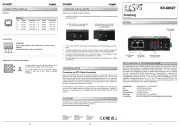
Pin Signal PoE (Mode) Pin Signal PoE (Mode)
1 BI_DA+ VCC+ (A) 5 BI_DC VCC+ (B) -
2 BI_DA VCC+ (A) 6 BI_DB VCC (A) - - -
3 BI_DB+ VCC (A) 7 BI_DD+ VCC (B) - -
4 BI_DC+ VCC+ (B) 8 BI_DD VCC (B) - -
Der Gigabit Ethernet PoE+ Splitter EX 60321 unterteilt das Signal eines PoE Versorgers (PSE) - -
in Daten und Stromversorgung und gibt beide Signale getrennt aus. So können auch nicht PoE-
fähige Ethernet Endgeräte (IP Kameras, WLAN Access Points...) an einem PoE Switch oder - - -
anderen PSE angeschlossen werden und deren Speisung nutzen. Er ist konform zum PoE+
Standard IEEE 802.3at und stellt am Terminal Block zur Speisung des Endgerätes eine Span-
nung von 24VDC mit einer Leistung von max. 30W zur Verfügung. Dank dem robusten Metall-
gehäuse ist er für eine Vielzahl von Anwendungen auch in rauen Umgebungen geeignet. Im
Lieferumfang ist ein DIN Rail Kit (vormontiert) enthalten.-
BESCHREIBUNG & TECHNISCHE DATEN
Kompatibilität: Gigabit Ethernet 10/100/1000Base T -
PoE: IEEE 802.3af/at (PoE+)
Betriebssysteme: Alle Betriebssysteme
Anschlüsse: 2x RJ45 Buchse 1x Terminal Block 24VDC - ,
Lieferumfang: 60321, DIN Rail Kit, Anleitung EX- -
Power supply OUTPUT, NO connection for external power
Please pay attention to the correct polarity!
LED Name Color LED Function
To clean the device, please use only a dry, non fibrous cloth and remove the dirt with light -
pressure. In the area of the connections, please make sure that no fibers of the cloth are left in
the socket. Attention! Never use a moist or wet cloth for cleaning!
Please read the following installation instructions.
1. - - Install the EX 60321 on a mounting rail using the DIN Rail kit.
2. Connect your Ethernet end device (e.g. IP camera, IP phone...) to the Ethernet downlink
port and the terminal block (pay attention to polarity).
3. Connect your PoE PSE (Power Sourcing Equipment) to the PoE In port. -
4. When all cables are connected correctly, the indicators light up according to the port status