Nedis WIFILW10WTGU10 Manual

Nedis Lys WIFILW10WTGU10

Læs gratis den danske manual til Nedis WIFILW10WTGU10 (8 sider) i kategorien Lys. Denne vejledning er vurderet som hjælpsom af 8 personer og har en gennemsnitlig bedømmelse på 4.4 stjerner ud af 4.5 anmeldelser. Har du et spørgsmål om Nedis WIFILW10WTGU10, eller vil du spørge andre brugere om produktet?

Side 1/8
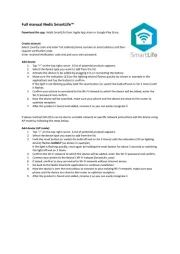
Full manual Nedis SmartLife
Download the app: Nedis SmartLife from Apple App store or Google Play Store.
Create account
Select country code and enter full naonal phone number or email address and then
request vericaon code.
Enter received vericaon code and pick your own password.
Add device
2. Select the device type you want to add from the list
3. Acvate the device to be added by plugging it in or connecng the baer y.
4. Make sure the indicaon LED (or the lighng device) ashes quickly (as shown in example in the
applicaon) and tap the buon to conrm.
If the light is not ashing quickly hold the reset buon (or switch the bulb o and on for 3 mes) unl
it ashes.
5. Conrm your phone is connected to the Wi-Fi network to which the device will be added, enter the
Wi-Fi password and conrm.
6. Now the device will be searched, make sure your phone and the device are close to the router to
opmize recepon.
7. Aer the product is found and added, rename it so you can easily recognize it.
If above method fails (this can be due to unstable network or specic network protecon) add the device using
AP mode by following the steps below.
Add device (AP mode)
2. Select the device type you want to add from the list
3. Hold the reset buon (or switch the bulb o and on for 3 mes) unl the indicaon LED (or lighng
device) ashes (as shown in example) SLOWLY
If the light is ashing quickly, reset again by holding the reset buon for about 5 seconds or switching
the light o and on 3 mes.
4. Conrm the Wi-Fi network to which the device will be added, enter the Wi-Fi password and conrm.
5. Connect -Fi hotspot (SmartLife_xxxx) your phone to the device’s Wi
6. If asked: conrm to stay connected to Wi-Fi network without internet access
7. Go back to the Nedis SmartLife applicaon to connue installaon.
8. Now the device is sent the instrucons to connect to your exisng Wi-Fi network, make sure your
phone and the device are close to the router to opmize recepon.
9. Aer the product is found and added, rename it so you can easily recognize it.


Produkt Specifikationer

Mærke: Nedis
Kategori: Lys
Model: WIFILW10WTGU10
Tænd-/slukkontakt: Ja
Vekselstrømsindgangsspænding: 220-240 V
Produktfarve: Hvid
Pakkevægt: 42 g
Pakkedybde: 62 mm
Pakkebredde: 62 mm
Pakkehøjde: 125 mm
Energieffektivitetsklasse (gammel): A+
Driftstemperatur (T-T): -20 - 45 °C
Diameter: 50 mm
Pæreeffekt: 4.5 W
Lysfarve: Cool white, Warm white, White
Farvetemperatur: 6500 K
Indgangsspænding: 220 - 240 V
Lysstrøm: 380 lm
Pære levetid: 25000 t
Dæmpbar: Ja
Længde: 70 cm
Frekvens: 2483.5 MHz
Pæreform: Reflektor
Pasform/dække type: GU10
Farve-gengivelse (CRI): 80
Energiforbrug (1000 timer): 4.5 kWh

Har du brug for hjælp?

Hvis du har brug for hjælp til Nedis WIFILW10WTGU10 stil et spørgsmål nedenfor, og andre brugere vil svare dig