Panamax MD2 Manual


Læs gratis den danske manual til Panamax MD2 (2 sider) i kategorien Ikke kategoriseret. Denne vejledning er vurderet som hjælpsom af 31 personer og har en gennemsnitlig bedømmelse på 4.9 stjerner ud af 16 anmeldelser. Har du et spørgsmål om Panamax MD2, eller vil du spørge andre brugere om produktet?

Side 1/2
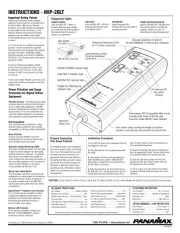
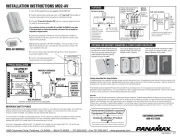
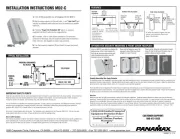
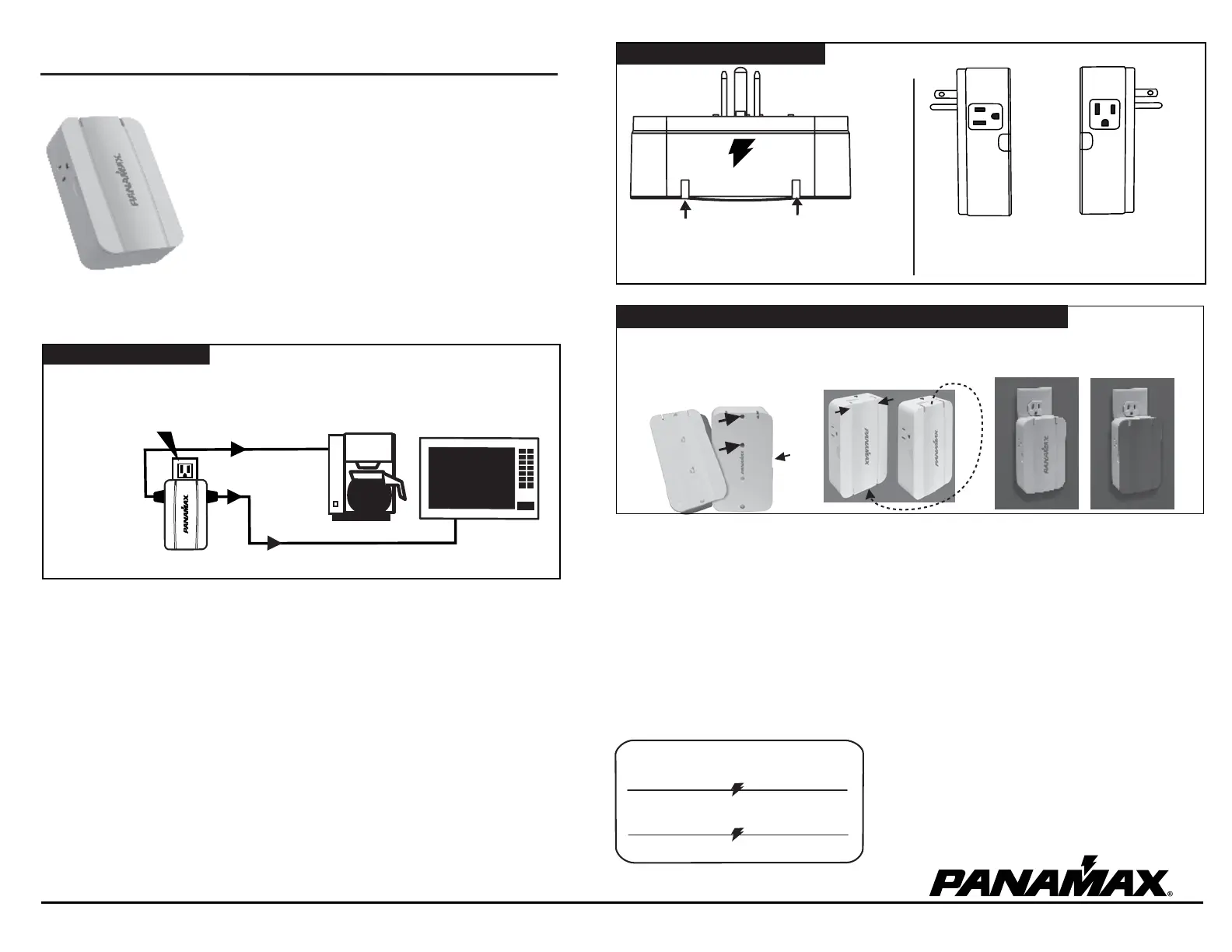
Cover of MD2 can easily be removed by
pulling cover at the 2 side indents (1).
Cover can be flipped around 180
degrees to hide LEDs from front
straight-on view if desired.
Cover can be removed and painted to match
color of wall. Do not paint the sides, top or
bottom. Warranty will be voided.
Unit can be securely screwed into wall
outlet faceplate using either hole (2)
indicated (screw is included).
1
2
1690 Corporate Circle, Petaluma, CA 94954 • 800-472-55555 • 707-283-5900 • Fax 707-283-5901 • www.panamax.com
OPTIONS FOR SECURITY MOUNTING & FRONT COVER FACEPLATE
INSTALLATION INSTRUCTIONS MD2
Top view
of product
INS00875-A 1/10
CUSTOMER SUPPORT:
800-472-5555
FEATURES
LEFT SIDE
OUTLET
GROUND
PLUG OUT
RIGHT SIDE
OUTLET
GROUND
PLUG DOWN
Side views of product
1. Turn off the equipment you are plugging into the MD2.
2. Plug the surge protector into the wall outlet. A red "Line Fault" light
indicates an improperly wired outlet that must be checked by a qualified
electrician.
3. If the blue "Power On Protection OK" light is on, plug your equipment
into the AC outlets on the surge protector.
4. Turn the connected equipment ON and check for power and correct
operation.
Panamax surge protectors and the connected equipment must be indoors in a dry location and in the same building. Do not install any
Panamax product near heat emitting appliances such as a radiator or heat register. Do not install this product where excessive
moisture is present; for example, near a bathtub, sink, pool, basement floor, fish tank, etc.
It is not uncommon for a building to be improperly grounded. In order to protect your equipment, and validate the warranty, Panamax
products must be plugged into a properly grounded 3-wire outlet. Additionally, building wiring and grounding must conform to
applicable NEC (USA) or CEC (Canada) codes for the Panamax warranty to be valid.
Do not use 2-prong adapters with this product. If an extension cord is required, use only Panamax #GEC1410. If at any time your
surge protector indicates a Line Fault, call your electrician to correct the building wiring.
POWER ON / PROTECTION OK- (blue)
normally ON - indicates that the power is on,
surge protector is functioning properly, and
all connected equipment is protected.
LINE FAULT INDICATOR-
(red) - If lit red, indicates
an improperly wired outlet.
AC outlets are turned 90 degrees from one another to accommodate
different style plugs or transformers.
Properly Connecting Your Surge Protector
To completely protect your equipment from power surges, every wire leading into or out of the equipment you want to protect must be connected to the
appropriate Panamax surge protector. Damaging lightning and power surges can get into your system through any AC power or signal line (phone lines,
grounding wires, coax cables, modem cables, etc.) connected to your electrical equipment.
The $100,000 Connected Equipment Protection Policy is invalid if any wire leading into or out of the equipment is not properly connected to the
appropriate Panamax surge protector(s). The surge protector must also be plugged into a properly wired and grounded outlet. Please see the warranty
for details or contact the Panamax Customer Relations department with questions.
Overview
Make sure you have the right surge protector to protect your electronic equipment. Panamax makes protectors for almost every type of electronic
equipment. Surge protectors that may look identical from the outside can be very different on the inside. It is very important to use the surge protector
designed for your application. Two-outlet surge protectors are not designed for use with systems having more than two AC powered components.
Panamax offers a wide range of surge protectors designed for use with larger systems. If you have any questions about which product is best for your
applications, please see our web site www.panamax.com or contact Panamax Customer Relations at 800-472-5555 (7:30 a.m. – 4:30 p.m. PST).
MD2
POWER ON
PROTECTION OK
LINE
FAULT
TYPICAL INSTALLATION
IMPORTANT SAFETY POINTS
PROPERLY GROUNDED
AC OUTLET
MD2
AC LINE
AC LINE
Limited Lifetime Product
Warranty*
$
100,000
Limited Connected
Equipment Protection Policy*
*See documentation on back side for details.


Produkt Specifikationer

Mærke: Panamax
Kategori: Ikke kategoriseret
Model: MD2
Vekselstrømsindgangsfrekvens: 50 - 60 Hz
Bredde: 82.55 mm
Dybde: 41.27 mm
Højde: 133.3 mm
Vægt: 294.8 g
Produktfarve: Hvid
Responstid: 1 ms
Certificering: cULus
LED-indikatorer: Power, Power fail
Kan monteres på væggen: Ja
Maksimal strøm: 1800 W
Nominel indgangsspænding: 120 V
AC udgange, antal: 2 AC stikkontakt(er)
Overspænding energivurdering: 1350 J
Beskyttelsesfunktioner mod strømstød: A/V
Nominel udgangsstrøm: 3000 A
Spændingsblokering: 200 V
Spidsstrøm, almindelig modus: 15 A

Har du brug for hjælp?

Hvis du har brug for hjælp til Panamax MD2 stil et spørgsmål nedenfor, og andre brugere vil svare dig


Ikke kategoriseret Panamax Manualer
Panamax

Panamax MOD-SPKP Manual

4 September 2025
Panamax

Panamax M8DBS-EX Manual

4 September 2025
Panamax

Panamax SP8-AV Manual

4 September 2025
Panamax

Panamax PM8DBS-EX Manual

4 September 2025
Panamax

Panamax MIP-20LT Manual

11 December 2024
Panamax

Panamax MD2-AV Manual

10 December 2024
Panamax

Panamax MD2-TL Manual

10 December 2024
Panamax

Panamax MOD-DT4 Manual

10 December 2024
Panamax

Panamax MOD-AT8110 Manual

10 December 2024
Panamax

Panamax MOD-AT4 Manual

10 December 2024

Ikke kategoriseret Manualer

Nyeste Ikke kategoriseret Manualer

TOTO

TOTO TSMX Manual

17 December 2025
Gamdias

Gamdias Aura GC2 Manual

17 December 2025
Vaxcel

Vaxcel T0777 Manual

17 December 2025
Vaxcel

Vaxcel T0696 Manual

17 December 2025
Vaxcel

Vaxcel T0735 Manual

17 December 2025
Silverstone

Silverstone UC01 Manual

17 December 2025
Liteline

Liteline P-4020 Manual

17 December 2025
Vaxcel

Vaxcel T0376 Manual

17 December 2025
Vaxcel

Vaxcel T0779 Manual

17 December 2025