StarTech.com BRNCHLOCK Manual

StarTech.com slot BRNCHLOCK

Læs gratis den danske manual til StarTech.com BRNCHLOCK (2 sider) i kategorien slot. Denne vejledning er vurderet som hjælpsom af 18 personer og har en gennemsnitlig bedømmelse på 4.0 stjerner ud af 9.5 anmeldelser. Har du et spørgsmål om StarTech.com BRNCHLOCK, eller vil du spørge andre brugere om produktet?

Side 1/2
Quick-Start Guide
To view manuals, FAQs, videos, drivers, downloads, technical drawings, and more, visit www.startech.com/support.
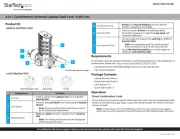
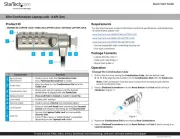
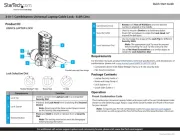
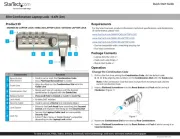
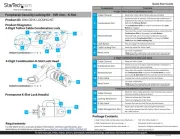
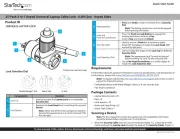
Product Diagram (BRNCHLOCK)
Components Function
1 Reset Screw
Used to set a new combination.
Note: Once the combination is changed, if you
lose the new combination you will not be able to
reset the combination.
2 Guide Line
Used to enter a combination on the Dials.
Align the combination digits with the Guide
Line.
3 Release Button Used to release the Lock from the Lock Slot.
4 Bumper Spacers
Prevents the Lock from scratching the
connected Device.
5 Locking Hook Used to connect the Lock to a Lock Slot.
6 Security Cable
Used to secure a Device to a secure stationary
object.
7 Dials Used to enter the Lock’s combination.
Laptop Lock Loop
6
Requirements
For the latest requirements, please visit www.startech.com/BRNCHLOCK.
Default Combination = 0-0-0-0
Installing the Lock Spacers (Optional)
The Laptop Lock Loop comes with three dierent sized Spacers (1 mm, 2 mm, and 3
mm). The Spacer helps prevent the Laptop Lock Loop from scratching the connected
Device, as well as create a tighter t, reducing the amount of movement once the
Laptop Lock Loop is connected to a Device.
1. When you have selected the Spacer you want to use, remove the adhesive backing
from the Spacer.
2. Align the hole in the Spacer over top of the Lock Tip, so that the Lock Tip is
protruding through the hole.
3. Firmly press down on the Spacer adhering it to the Lock.
Setting a New Combination
4. Align the numbers on the Dial with the Guide Line using the default combination
0-0-0-0.
5. Insert a Flathead Screwdriver (sold separately) into the Reset Screw and push the
Reset Screw in toward the Lock.
6. With the Reset Screw pushed in, turn the Reset Screw clockwise 90 degrees.
7. Rotate each of the Dials to the desired number.
8. Insert the Flathead Screwdriver into the Reset Screw and turn the Reset Screw
counter-clockwise 90 degrees moving the Reset Screw, back to its original position.
The Reset Screw will pop back out once it is in the original position.
Note: Be sure to write down the new combination and keep it in a secure location
away from the lock.
9. To set a new combination follow steps 1 - 5 using the new combination set up in
Step 4 instead of the default combination.
3
5
4
7
1
2


Produkt Specifikationer

Mærke: StarTech.com
Kategori: slot
Model: BRNCHLOCK
Bredde: 55 mm
Dybde: 205 mm
Højde: 20 mm
Vægt: 68 g
Antal pr. pakke: 1 stk
Brugervejledning: Ja
Produktfarve: Sort, sølv
Pakkevægt: 82 g
Pakkedybde: 220 mm
Pakkebredde: 130 mm
Certificering: RoHS, TAA, REACH
Harmoniseret systemkode (HS): 83014090
Hovedkassen højde (udvendigt): 245 mm
Hovedkassens længde (udvendigt): 285 mm
Hovedkassens bredde (udvendigt): 270 mm
Kabellåseslids type: Kensington
Produkter pr. hovedkasse (udvendigt): 40 stk
Låsetype: Kombinationslås
Bedste anvendelsesmuligheder: Laptop
Kabeldiameter: 4.4 mm
Antal kombinationer: 10000

Har du brug for hjælp?

Hvis du har brug for hjælp til StarTech.com BRNCHLOCK stil et spørgsmål nedenfor, og andre brugere vil svare dig