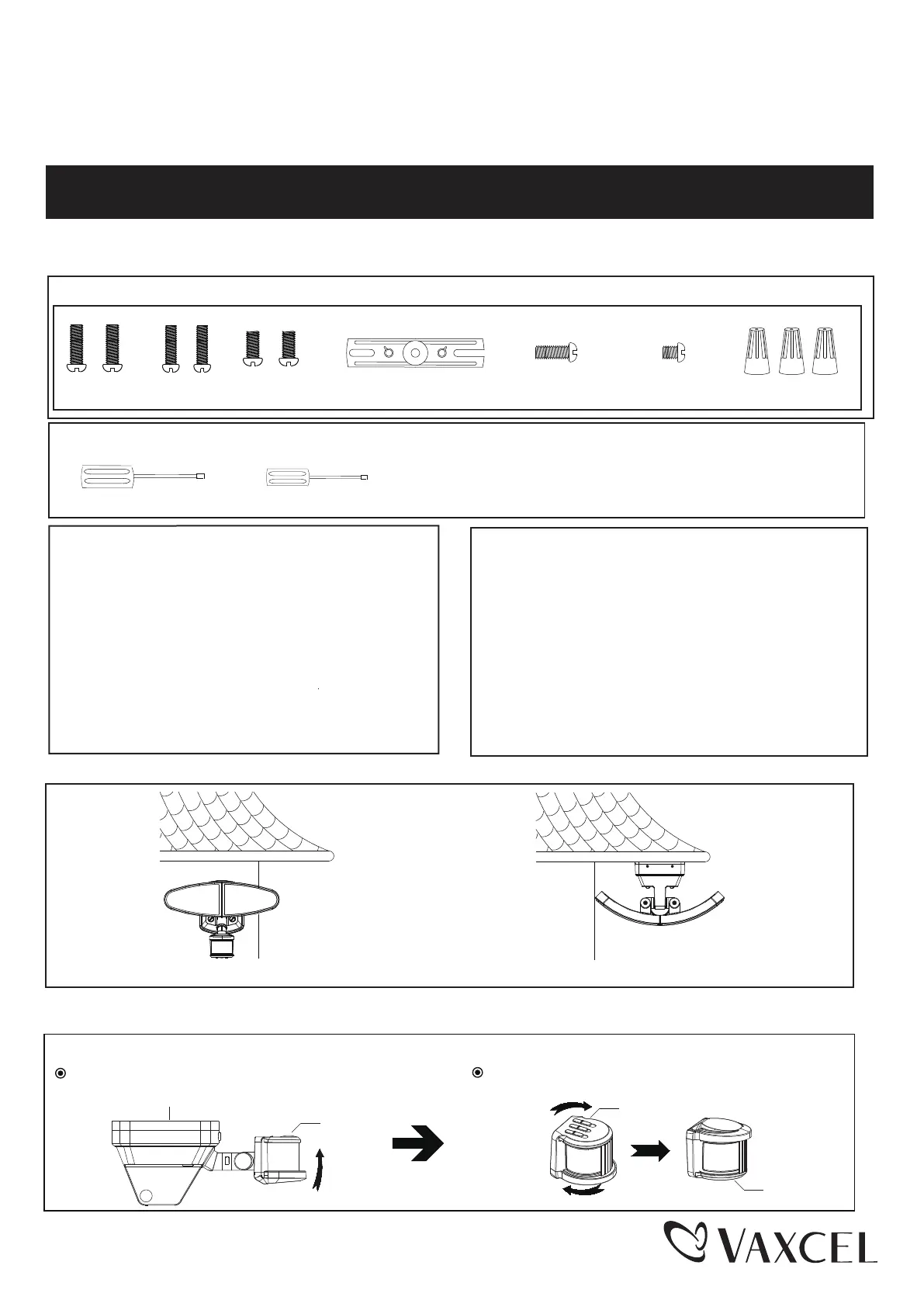
Mounting Bracket Screw
Page 1 / 7
240905
Wall Mounted
Eave Mounted
ASSEMBLY AND INSTALLATION
INSTRUCTIONS
NOTES: 1. Before installing, consult local electrical codes for wiring and grounding requirements.
2. Read and save these instructions.
WARNING:
TO AVOID RISK OF ELECTRICAL SHOCK, BE SURE TO SHUT OFF
POWER BEFORE INSTALLING OR SERVICING THIS FIXTURE.
T0783
Hardware Package (included):
Mounting Strap
Mounting Screw X2
#8/32X1/2 in
Mounting Screw X2
#6/32 X1/2 in
Mounting Screw X2
#10/24 X1/4 in
Wire Connector
Fixture Mounting Screw
Important to Know:
1. This fixture requires a 120 VAC, 60 Hz power source.
2. For general safety and to avoid any possible damage
to the sensor, be sure the power is switched "off"
before adjustment.
3. Motion sensor: turns light ON automatically when
motion is detected and turns light OFF automatically
when motion stops.
4. Photocell keeps the light OFF during daylight hours.
Features:
Note: Fixture can be wall mounted or eave mounted.
1. Energy saving LED fixture.
2. Motion sensor: turns light ON automatically when
motion is detected and turns light OFF or remains
in low-level brightness when motion stops.
3. Photocell keeps the light OFF during daylight hours.
4. When in manual override mode, use wall switch
to keep the light ON full brightness during the night.
(1) Phillips-head Screwdriver (2) 1/8” Flat-head Screwdriver
1. Phillips-head screwdriver for attaching mounting screws to
mounting strap, mounting bracket and fixture to mounting bracket.
2. 1/8” wide flat-head screwdriver for connecting the source wires
into the wiring terminal station on the mounting bracket.
Tools Needed:
Maximum Wattage: 35 W
Working Temperature Range: - 4°F ~ 113°F
Before installing the light fixture under an eave, the sensor head must be rotated as shown in the next two steps for
proper operation and to avoid the risk of electrical shock.
For eave mounted only:
Swing the sensor head towards the mounting bracket.
Rotate the sensor head clockwise 180˚ so the
controls face down.
Controls
Mounting Bracket
Controls
Controls