Aerohive AP130 Manual


Læs gratis den danske manual til Aerohive AP130 (1 sider) i kategorien Adgangspunkt. Denne vejledning er vurderet som hjælpsom af 24 personer og har en gennemsnitlig bedømmelse på 4.1 stjerner ud af 12.5 anmeldelser. Har du et spørgsmål om Aerohive AP130, eller vil du spørge andre brugere om produktet?

Side 1/1
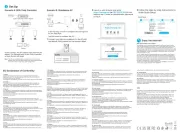
Aerohive Devices QuickStart
Install Aerohive devices (APs, switches, and
routers) on your network.
To register, get the latest product documentation (including a limited number of translations), see
compliance information and download software updates, visit www.aerohive.com/support.
Aerohive
device
Power
source
Connect the Aerohive device to a power source:
a 100-240 AC power outlet, or, for APs, PSE (power
sourcing equipment).
Internet
Internet
Firewall
Aerohive AP
or switch
DSL router, cable modem,
or other Internet device.
Aerohive
router
Local
network
Local
network
Aerohive AP or switch: Connect an Ethernet cable from Eth0 on an AP and from
any port on a switch to an upstream network device - switch, router, firewall...
Aerohive router: Connect an Ethernet cable from WAN/Eth0 to a DSL router, cable
modem, or other Internet device.
After the
device connects to
HiveManager, the
status LED glows
white.
©2014 Aerohive Networks, Inc.
Aerohive Networks, Inc. and the Aerohive logo are U.S. registered
trademarks of Aerohive Networks, Inc.
P/N 330111-02 Rev. A
For detailed installation instructions
and specifications for your device, visit
www.aerohive.com/quick
or scan this QR code with your phone to
take you right there.
For Aerohive APs, attach external
antennas, if necessary.
Power
Network
2
Management
3
Aerohive devices act
as DHCP clients by default.
For deployment on networks
without DHCP, see product
documentation at
www.aerohive.com/techdocs.
1
Host name: AH-123456
Aerohive
device
HiveManager
Online
on premises
After connecting to the network, the Aerohive device contacts HiveManager Online or a
HiveManager physical appliance or HiveManager Virtual Appliance on premises. The device
is now ready to be managed.
OR
HiveManager
physical appliance
HiveManager
Virtual Appliance
OR
AH-123456!


Produkt Specifikationer

Mærke: Aerohive
Kategori: Adgangspunkt
Model: AP130

Har du brug for hjælp?

Hvis du har brug for hjælp til Aerohive AP130 stil et spørgsmål nedenfor, og andre brugere vil svare dig


Adgangspunkt Aerohive Manualer

Aerohive

Aerohive AP330 Manual

15 August 2024
Aerohive

Aerohive AP121 Manual

12 August 2024
Aerohive

Aerohive AP370 Manual

12 August 2024
Aerohive

Aerohive AP130 Manual

12 August 2024
Aerohive

Aerohive AP1130 Manual

10 August 2024
Aerohive

Aerohive AP170 Manual

10 August 2024
Aerohive

Aerohive AP230 Manual

7 August 2024

Adgangspunkt Manualer

Nyeste Adgangspunkt Manualer

Teltonika

Teltonika DAP140 Manual

18 November 2025
Cudy

Cudy AP1300 Wall Manual

8 November 2025
EtherWAN

EtherWAN EW75200 Manual

4 November 2025
D-Link

D-Link DBR-X3000-AP Manual

1 November 2025
Draytek

Draytek VigorAP 700 Manual

19 Oktober 2025
Lancom

Lancom LN-860 Manual

16 Oktober 2025
Mikrotik

Mikrotik SXT 5 ac Manual

15 Oktober 2025
Lancom

Lancom LX-7400 Manual

8 Oktober 2025