Allen & Heath DX 4 Manual


Læs gratis den danske manual til Allen & Heath DX 4 (2 sider) i kategorien Stavblender. Denne vejledning er vurderet som hjælpsom af 7 personer og har en gennemsnitlig bedømmelse på 4.9 stjerner ud af 4 anmeldelser. Har du et spørgsmål om Allen & Heath DX 4, eller vil du spørge andre brugere om produktet?

Side 1/2
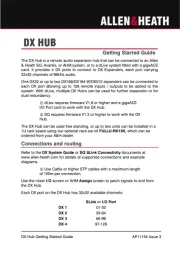
DX Hub Getting Started Guide
AP11154 Issue 3
DX HUB
Getting Started Guide
The DX Hub is a remote audio expansion hub that can be connected to an Allen
card. It provides 4 DX ports to connect to DX Expanders, each port carrying
32x32 channels of 96kHz audio .
One DX32 or up to two DX168/DX164-W/DX012 expanders can be connected to
each DX port allowing up to 128 remote inputs / outputs to be added to the
system. With dLive, multiple DX Hubs can be used for further expansion or for
dual redundan . cy
dLive requires firmware V1.6 or higher and a gigaACE
I/O Port card to work with the DX Hub.
SQ requires firmware V1.2 or higher to work with the DX
Hub.
The DX Hub can be used free standing, or up to two units can be installed in a
1U rack space using our optional rack ear kit which can be FULLU-RK19X,
ordered from your A&H dealer.
Connections and routing
Refer to the or documents at DX System Guide SQ SLink Connectivity
www.allen-heath.com for details of supported connections and example
diagrams.
Use Cat5e or higher STP cables with a maximum length
of 100m per connection.
Use the mixer screen or AHM screen to patch signals to and from I/O Assign
the DX Hub.
Each DX port on the DX Hub has 32x32 available channels:
SLink I/O Port or
DX 1
01 32-
DX 2
33 64-
DX 3
65 96-
DX 4
97 128-


Produkt Specifikationer

Mærke: Allen & Heath
Kategori: Stavblender
Model: DX 4

Har du brug for hjælp?

Hvis du har brug for hjælp til Allen & Heath DX 4 stil et spørgsmål nedenfor, og andre brugere vil svare dig


Stavblender Allen & Heath Manualer
Stavblender Manualer

Nyeste Stavblender Manualer