Bauhn ABTWPDQ-0224 Manual

Bauhn Ikke kategoriseret ABTWPDQ-0224

Læs gratis den danske manual til Bauhn ABTWPDQ-0224 (2 sider) i kategorien Ikke kategoriseret. Denne vejledning er vurderet som hjælpsom af 14 personer og har en gennemsnitlig bedømmelse på 5.0 stjerner ud af 7.5 anmeldelser. Har du et spørgsmål om Bauhn ABTWPDQ-0224, eller vil du spørge andre brugere om produktet?

Side 1/2
No volume
Ensure you are not on mute.
Adjust the volume knob.
Computer
cannot
detect
microphone
Ensure the USB cable is securely connected on both the
Open the control panel. Select “Add a device” tab and
manually search & install the microphone.
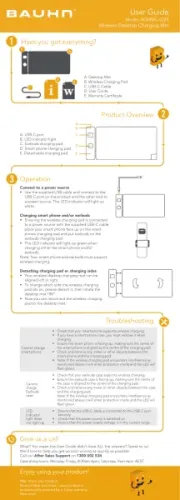
Product Overview
Have you got everything?
Operation
A. Condenser Microphone
B. Foam Cap
C. Tripod
D. Microphone Mount
E. USB Cable
F. User Guide
G. Warranty Certicate
Setting Up
Extend the tripod legs so that the tripod can stand on
a at surface.
Screw the microphone mount onto the tripod as
illustrated, ensuring it is securely screwed in.
Screw the condenser microphone onto the microphone
mount until it is securely locked in.
Cover the microphone with the supplied foam cap to
avoid wind noise and distortion.
Connect to Computer
Plug in the supplied USB cable to the USB port on the
bottom of the microphone as illustrated, and the other end
to a USB port on your PC/laptop.
Once connected, your PC/latop will automatically
recognize the device and install the driver.
For Windows:
Go to Device Manager > Audio inputs and outputs > The
“Bauhn Microphone” should appear.
For MacOS:
Open system preference and select Sound.
Select “Bauhn Microphone” for both the input and output
tab options.
Note: A USB hub (not included) is required if your MacOS
system does not have a USB port.
Voice Recorder
You will need to install the relevant software for
this function to work.
A. MUTE: Press the button to mute the
microphone (The button will light up red).
Press again to unmute (button light will be off).
B. ECHO KNOB: Adjust the knob to
increase/decrease the echo of the
microphone.
C. VOLUME KNOB: Adjust the knob to
increase/decrease volume level.
D. HEADPHONE JACK: Connect to your
headphones for monitoring audio playback.
Note: The volume knob is for adjusting
the microphone and will not adjust the
headphones volume.
Troubleshooting
User Guide
Model: ABTWPDQ-0224-M
Condenser Microphone
A
B
C
D
A
B
F
G
D
E
C
Nearly done! Just a bit more on the other side of this page...
For Windows:
Download and install the Windows Voice Recorder (if not already installed)
on the Microsoft store.
For MacOS:
Download and install the Voice Memo app (if not already installed) on the
apple store.


Produkt Specifikationer

Mærke: Bauhn
Kategori: Ikke kategoriseret
Model: ABTWPDQ-0224

Har du brug for hjælp?

Hvis du har brug for hjælp til Bauhn ABTWPDQ-0224 stil et spørgsmål nedenfor, og andre brugere vil svare dig


Ikke kategoriseret Bauhn Manualer

Ikke kategoriseret Manualer

Nyeste Ikke kategoriseret Manualer

TOTO

TOTO TSMX Manual

17 December 2025
Gamdias

Gamdias Aura GC2 Manual

17 December 2025
Vaxcel

Vaxcel T0777 Manual

17 December 2025
Vaxcel

Vaxcel T0696 Manual

17 December 2025
Vaxcel

Vaxcel T0735 Manual

17 December 2025
Silverstone

Silverstone UC01 Manual

17 December 2025
Liteline

Liteline P-4020 Manual

17 December 2025
Vaxcel

Vaxcel T0376 Manual

17 December 2025
Vaxcel

Vaxcel T0779 Manual

17 December 2025