• Check that your smart phone supports wireless charging.
• If you have a smart phone case, you must remove it when
• Ensure the smart phone is facing up, making sure the centre of
the smart phone is aligned to the centre of the charging pad.
• Check and remove any metal or other objects between the
smart phone and the charging pad.
• Note: If the wireless charging pad encounters interference as
mentioned above it will enter protection mode and the LED will
• Check that your earbuds case supports wireless charging.
• Ensure the earbuds case is facing up, making sure the centre of
the case is aligned to the centre of the charging pad.
• Check and remove any metal or other objects between the case
Note: If the wireless charging pad encounters interference as
mentioned above it will enter protection mode and the LED will
• Ensure that the USB-C cable is connected to the USB-C port
• Check that the power source is switched on.
• Ensure that the power supply voltage is in the correct range.
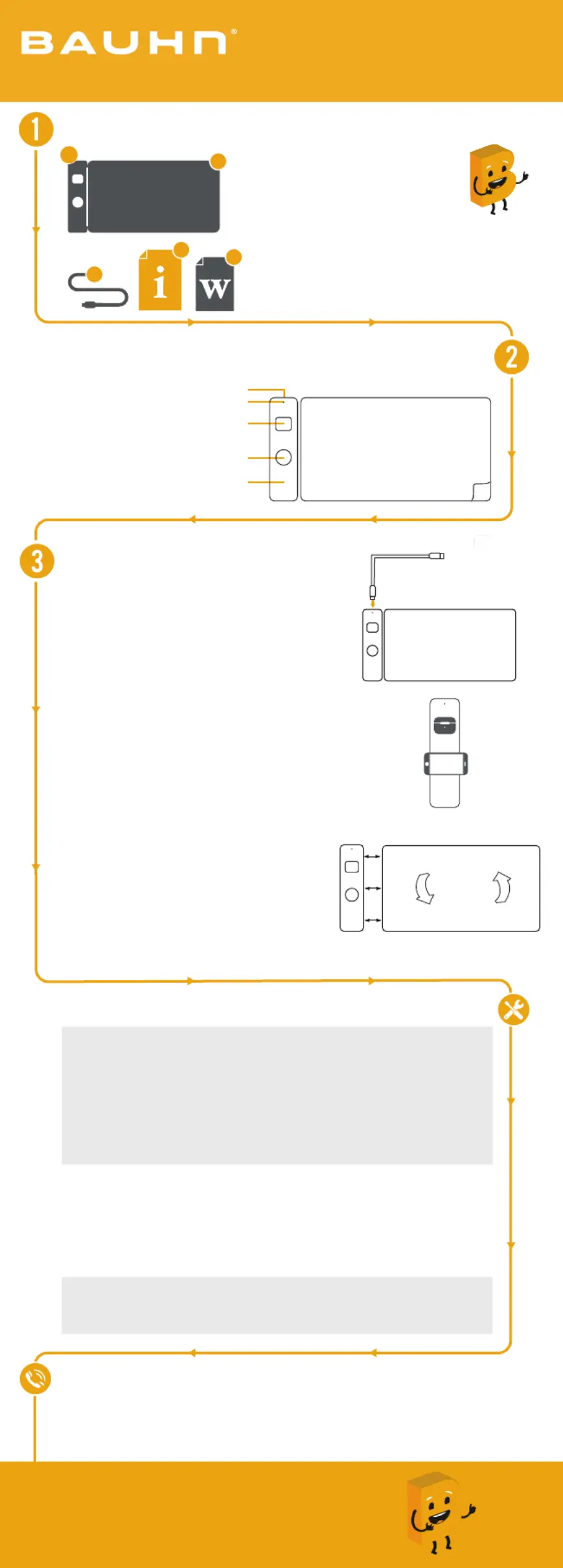
Connect to a power source
• Use the supplied USB cable and connect to the
USB-C port on the product and the other end to
a power source. The LED indicator will light up
Charging smart phone and/or earbuds
• Ensuring the wireless charging pad is connected
to a power source with the supplied USB-C cable,
place your smart phone face up on the smart
phone charging pad and put earbuds on the
• The LED indicator will light up green when
charging either the smart phone and/or
Note: Your smart phone and earbuds must support
Detaching charging pad or changing sides
• Your wireless desktop charging mat can be
• To change which side the wireless charging
pad sits on, please detach it, then rotate the
• Now you can reconnect the wireless charging
D. Smart phone charging pad
E. Detachable charging pad
What? You mean this User Guide didn’t have ALL the answers? Speak to us!
We’d love to help you get up and running as quickly as possible.
Call our on . After Sales Support 1300 002 534
Operating hours: Monday-Friday, 8:30am-6pm; Saturday, 9am-6pm AEST
Enjoy using your product!
Now sit back and relax... your product is
automatically covered by a 1-year warranty.
Wireless Desktop Charging Mat