Edelkrone FlexTILT Head PRO Manual

Edelkrone Ikke kategoriseret FlexTILT Head PRO

Læs gratis den danske manual til Edelkrone FlexTILT Head PRO (2 sider) i kategorien Ikke kategoriseret. Denne vejledning er vurderet som hjælpsom af 13 personer og har en gennemsnitlig bedømmelse på 4.6 stjerner ud af 7 anmeldelser. Har du et spørgsmål om Edelkrone FlexTILT Head PRO, eller vil du spørge andre brugere om produktet?

Side 1/2
TABLE OF CONTENTS
WHAT’S IN THE BOX & THE BASICS
ATTACHING THE 3/8”-16 MOUNTING WHEEL
MOUNTING YOUR FLEXTILT HEAD PRO
MOUNTING THE CAMERA TO YOUR FLEXTILT HEAD PRO
THE ADJUSTMENT/LOCKING KNOBS
ADJUSTING THE TENSION OF YOUR FLEXTILT HEAD PRO
CAUTIONS AND TIPS
USE WITHOUT A TRIPOD
1.
2.
3.
4.
5.
6.
7.
8.
Before operating your edelkrone,
please watch the user’s manual video from the link below
http://edel.kr/fthp
USER’S MANUAL
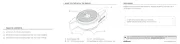
1. WHAT’S IN THE BOX & THE BASICS
1.
2.
3.
4.
5.
1/4” - 20 mounting screw
Level adjustment knobs (x2)
3/8” - 16 mounting screw
Reducer bushing/adapter*
Mounting wheel changing piece
6.
7.
8.
9.
10.
3mm adjustment joints (x2)
Spirit level
Pan marking
3mm allen wrench
3/8” - 16 mounting port
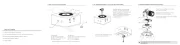
3. MOUNTING YOUR FLEXTILT HEAD PRO
1.
2.
3.
Place your FlexTILT Head PRO on the screw.
Rotate clockwise to tighten.
Continue rotating until it is tightened.
A detailed video explaining the mounting process can be found at:
http://edel.kr/fthp
1
1
2
5
6
7
8
9
10
2
A detailed video explaining the mounting process can be found at:
http://edel.kr/fthp
1. 2.
4. MOUNTING THE CAMERA TO YOUR FLEXTILT HEAD PRO
When adjusting the height, adjust one point at a time. (a,b)
Unfold the FlexTILT Head PRO to
access the mounting wheel.
Attach your camera using
the mounting wheel.
a
b
1
2
FLEXTILT HEAD PRO
A detailed video explaining how to chage the mounting screws can be found at:
http://edel.kr/fthp
2. ATTACHING THE 3/8”-16 MOUNTING WHEEL
*1/4”-20 to 3/8”-16 mounting screw adapter and 1/4”-20 reducer bushing for mounting
port are provided. The adapter is mounted on the 3/8"-16 port at the bottom, which
can be removed it with the help of a coin.
4
3
FlexTILT Head PRO has two mounting screw options: 1/4”-20 & 3/8”-16.
Remove the indicated part with a screw driver.
Remove the 1/4”-20 mounting screw.
Attach the 3/8”-16 mounting screw.
Attach the part back in its place.
1.
2.
3.
4.


Produkt Specifikationer

Mærke: Edelkrone
Kategori: Ikke kategoriseret
Model: FlexTILT Head PRO

Har du brug for hjælp?

Hvis du har brug for hjælp til Edelkrone FlexTILT Head PRO stil et spørgsmål nedenfor, og andre brugere vil svare dig


Ikke kategoriseret Edelkrone Manualer

Ikke kategoriseret Manualer

Nyeste Ikke kategoriseret Manualer