Mikrotik G1040A-60WF Manual


Læs gratis den danske manual til Mikrotik G1040A-60WF (2 sider) i kategorien Ikke kategoriseret. Denne vejledning er vurderet som hjælpsom af 2 personer og har en gennemsnitlig bedømmelse på 4.9 stjerner ud af 1.5 anmeldelser. Har du et spørgsmål om Mikrotik G1040A-60WF, eller vil du spørge andre brugere om produktet?
Side 1/2
G1040A-60WN
G1040A-60WN
Safety information
Before you work on any MikroTik equipment, be aware of the hazards involved with electrical circuitry, and be familiar with standard practices for
preventing accidents. The installer should be familiar with network structures, terms, and concepts.
This equipment is to be installed by trained and qualified personnel, as per these installation instructions. The installer is responsible for making
sure, that the Installation of the equipment is compliant with local and national electrical codes. Do not attempt to disassemble, repair, or modify
the device.
We cannot guarantee that no accidents or damage will occur due to the improper use of the device. Please use this product with care and operate
at your own risk!
In the case of device failure, please disconnect it from power. The fastest way to do so is by unplugging the power cable from the power outlet.
Information
Technical specifications, brochures, and more info about products at https://mikrotik.com/products
If you need help with configuration or installation, please seek a consultant https://mikrotik.com/consultants
Powering
The unit accepts power from an AC source:
Input: 100-240V ~ 50/60Hz.
Output:
DC output voltage (V) 12
DC output current (A) 5
DC output power (W) 60
Installation
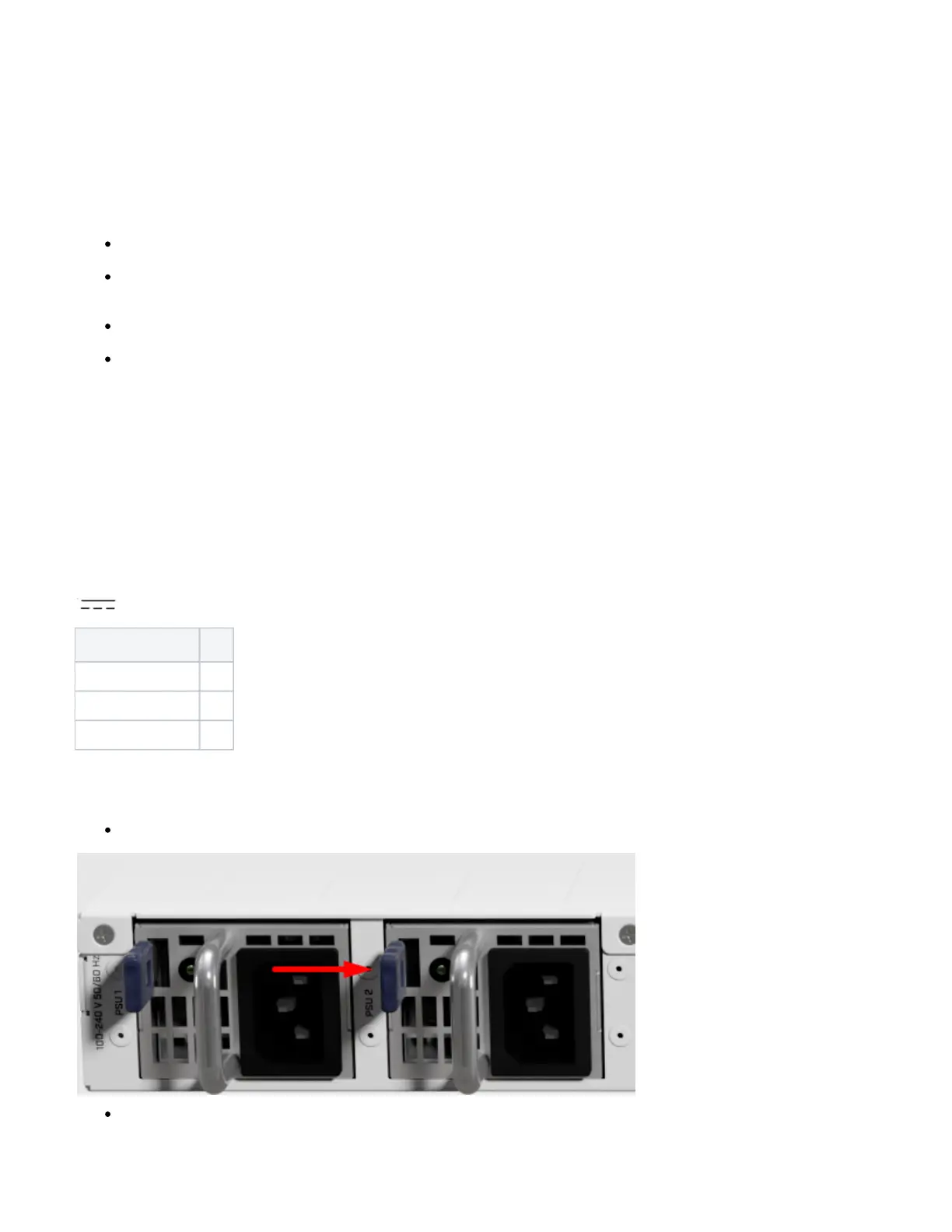
Push blue anchor to the right side and pull out old PSU:
Install replacement unit by inserting into position and pushing in until blue anchor locks.


Produkt Specifikationer

Mærke: Mikrotik
Kategori: Ikke kategoriseret
Model: G1040A-60WF

Har du brug for hjælp?

Hvis du har brug for hjælp til Mikrotik G1040A-60WF stil et spørgsmål nedenfor, og andre brugere vil svare dig