4 1
1. 1. Keyboard’s main features:
• Full size type keyboard.
•
OUTEMU Red / Brown / Blue / Peach Silent switches
(depending on the model).
• Hot Swap (exchangeable switches).
• RGB backlight with 21 modes to choose from.
• Switch lifespan: 50 000 000 keystrokes.
•
Keys are made with ‘double injection’ technology. This pre-
vents the key labels from wearing off during use.
•
N-key rollover & Anti-ghosting – a feature enabling pressing
many keys at the same time.
•
Multifunctional knob allowing to control sound and backlight.
• 3 extra multimedia keys.
•
Balanced design and rubberized feet prevent the keyboard
from sliding during use.
•
Two-step rubber leg stands enable nding the ideal key-
board angle.
•
Dedicated software allows full backlighting conguration
and creating macros.
• Detachable USB-C braided cable.
2. Package contents:
• Mechanical keyboard
• User manual
• USB-A – USB-C cable
• Keycap and switch puller
3. Technical specication:
• Keyboard type: Mechanical
• Keyboard layout: US (100% - full size)
• Interface: USB
• Keycaps: ABS
•
Switches: OUTEMU Red / Brown / Blue / Peach Silent (de-
pending on the model)
• Switch lifespan: 50 000 000 keystrokes
• Hot Swap : Yes
• Keyboard dimensions: 442 × 135 × 34 mm
• Keyboard weight: 700 ± 20 g
• Software: Yes
• N-key rollover & Anti-ghosting: Full
• Macro support: Yes
• Cable length: 1.5 m
•
Compatibility: Windows XP, Vista, Win 7 / 8 / 10 / 11, Linux,
macOS, Android
•
Package content: Mechanical keyboard, braided USB-A –
USB-C cable, keycap and switch puller, manual
4. Device installation:
4.1 Connect the keyboard to the PC, laptop, etc. using USB-A –
USB-C cable that was added to the set. The system will
Mechanical keyboard
SAVIO STYX
ENGLISH
User manual
Before starting the use of purchased device it is recom-
mended to read the whole manual.
Thank you for choosing Savio product!
If our product meets your expectations, share your opinion
with other people on the portal ceneo.pl, social media or
on the website of the store where you made the purchase.
If you want to show our device on SAVIO Facebook Page,
we will be very pleased.
If there is something that we could improve on our prod-
ucts, please write to us at support@savio.pl
Thanks to your feedback, we will be able to better adapt
the product to your expectations.
PRODUCER:
Elmak Sp. z o.o.
al. Żołnierzy I Armii Wojska Polskiego 20B
35-301 Rzeszow
www.savio.pl
support@savio.pl
Pełny tekst deklaracji zgodności UE jest dostępny pod na-
stępującym adresem internetowym:
www.savio.pl/do-pobrania
Information of the utilization
of electrical and electronic equipment
This symbol indicates that electrical appliances should
not be discarded with other household waste. Used equip-
ment should be handed over to a local collection point for
this type of waste or to a recycling center. Please contact
your local authorities for information about disposal meth-
ods available in your area. Waste electrical equipment may
contain hazardous substances (e.g. mercury, lead, cadmi-
um, chromium, phthalates) which can get into air, soil and
groundwater when leaking from used appliances. Environ-
mental pollution with these substances leads to their bio-
accumulation, causing lesion of disease in living organisms,
which would pose a risk to human and animal health or life.
Households may contribute to environmental protection
by proper waste collection. In such way, hazardous sub-
stances from the equipment are neutralized and valuable
secondary raw materials are reused for production of new
equipment.
Informacja o utylizacji urządzeń
elektrycznych i elektronicznych
Ten symbol informuje o zakazie wyrzucania urządzeń
elektrycznych razem z innymi odpadami domowymi. Zu-
żyte urządzenia należy przekazywać do lokalnego punk-
tu zbierania tego typu odpadów lub do centrum odzysku
surowców wtórnych. W celu uzyskania informacji o do-
stępnych na Państwa terenie metodach utylizacji, należy
skontaktować się z władzami lokalnymi. Zniszczony sprzęt
elektryczny może zawierać substancje niebezpieczne (m.
in. rtęć, ołów, kadm, chrom, ftalany), które wydostając się
ze zużytych akcesoriów przedostają się do powietrza, gleby
i wód gruntowych. Zanieczyszczenie środowiska natural-
nego tymi substancjami prowadzi do ich bioakumulacji,
powodując zmiany chorobowe w organizmach żywych,
co bezpośrednio zagraża zdrowiu i życiu ludzi oraz zwierząt.
Gospodarstwa domowe mogą przyczynić się do ochrony
środowiska poprzez prawidłową zbiórkę odpadów. W taki
sposób niebezpieczne substancje ze sprzętu zostają zneutra-
lizowane, a cenne surowce wtórne wykorzystane do produkcji
nowych urządzeń.
automatically recognise, download and install drivers.
4.2 The keyboard is ready to use.
5. Software installation:
To get full conguration access you have to download and
install dedicated software from our website: www.savio.pl/
download. After the download, double-click on the icon and
follow the suggestions. After the successful installation, you
will see the software icon on the desktop. Double click the icon
to open the settings interface.
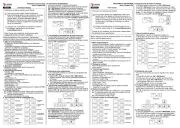
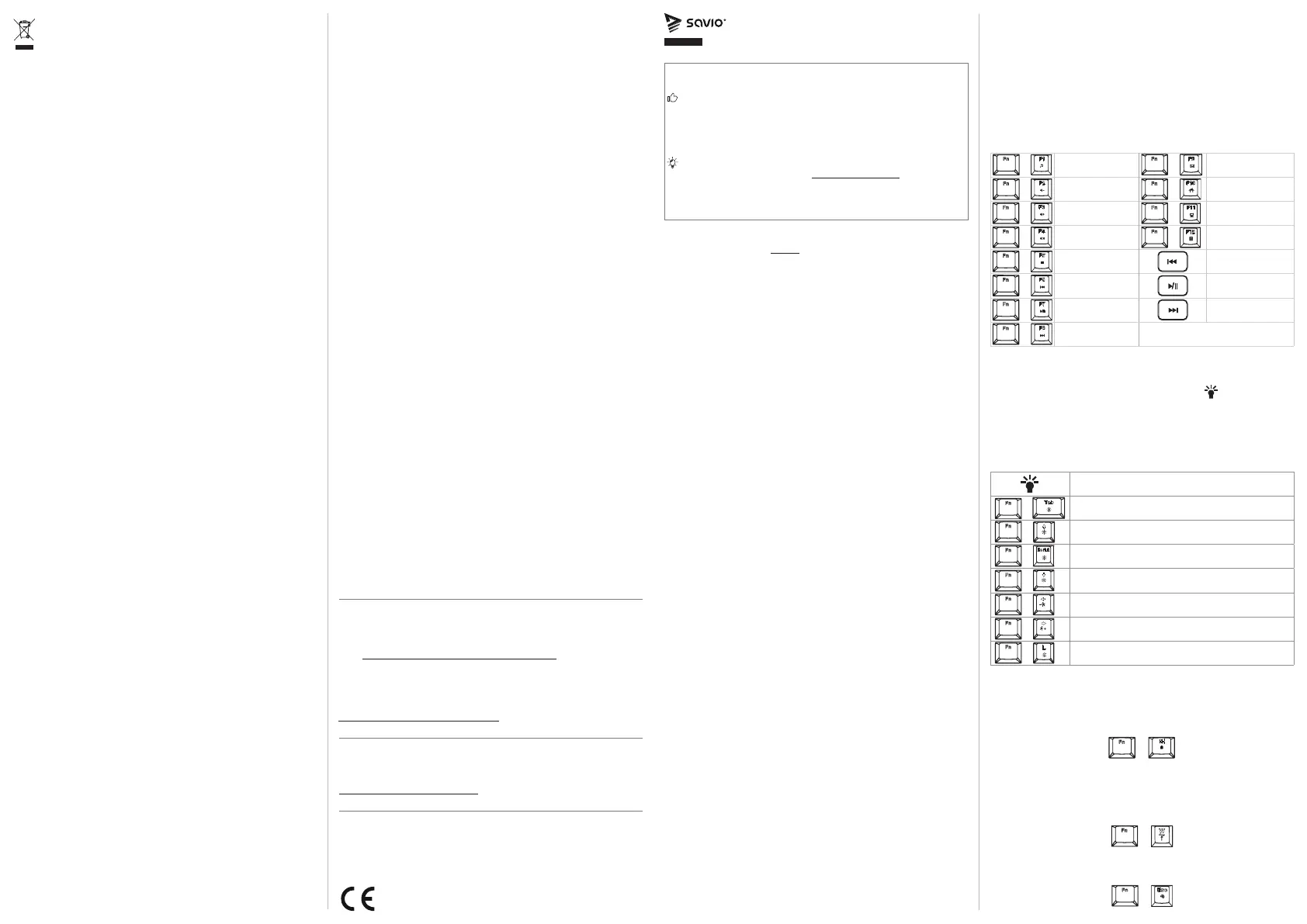
6. Multimedia activation key shortcuts:
+
Music
+
E-mail
+
Decrease volume
+
Internet browser
+
Increase volume
+
My computer
+
Mute
+
Calculator
+
Stop Previous track
+
Previous track Play / Pause
+
Play / Pause Next track
+
Next track
7. Backlighting mode:
The keyboard features 21 backlight modes. To activate and
change backlight mode you need to press key. Every time
you press FN + Tab (this functionality works with some modes)
the backlight color will change. The keyboard also features
changing the backlight intensity. Press FN + Arrow Up / Down
to increase / decrease light intensity. Press FN + Arrow Left /
Right to decrease / increase effects speed.
Change backlight mode
+
Change backlight color
+
Increase backlight intensity
+
Turn off backlight
+
Decrease backlight intensity
+
Decrease effect speed
+
Increase effect speed
+
Change backlight mode for knob
8. Blocking the Windows key:
To block the WINDOWS key press FN + Win. To go back to pre-
vious setting, press FN + Win again. FN + Win Block / Unblock
the WINDOWS key
+
9. Changing WASD to arrows:
The keyboard enables changing the functionality of WASD keys
to arrows. To activate this mode, press FN + W. To go back to
default settings, press the same key combination.
+
10. Keyboard default settings:
To restart the keyboard, press FN + Esc for 3 seconds.
+
The warranty covers a period not shorter than the legal
requirements in the country of purchase. Additional informa-
tion: www.savio.pl/en/service-and-support.
Gwarancja obejmuje okres nie krótszy niż wymogi prawne
w kraju nabycia. Dodatkowe informacje:
www.savio.pl/serwis-i-wsparcie.
HU Az Ön nyelvén található felhasználói kézikönyv a következő
címen érhető el: www.savio.pl/en/download
GR Το εγχειρίδιο χρήσης στη γλώσσα σας είναι διαθέσιμο
στη διεύθυνση: www.savio.pl/en/download
CZ Uživatelská příručka ve vašem jazyce je k dispozici na
adrese: www.savio.pl/en/download
SK Používateľská príručka vo vašom jazyku je k dispozíciina:
www.savio.pl/en/download
DE Das Benutzerhandbuch in Ihrer Sprache nden Sie unter:
www.savio.pl/en/download
RO Manualul de utilizare în limba dvs. este disponibil la:
www.savio.pl/en/download
LT Vartotojo kalba jūsų kalba galima rasti:
www.savio.pl/en/download
LV Lietotāja rokasgrāmata jūsu valodā ir pieejama vietnē:
www.savio.pl/en/download
EE Kasutusjuhendi leiate oma keeles all:
www.savio.pl/en/download
BG Можете да намерите ръководството за потребителя на
вашия език под: www.savio.pl/en/download
FI Löydät käyttöoppaan omalla kielelläsi osoitteesta:
www.savio.pl/en/download
FR
Vous pouvez trouver le manuel d'utilisation dans votre langue
sur:
www.savio.pl/en/download
ES
Puede encontrar el manual de usuario en su propio idioma
en:
www.savio.pl/en/download
NL U kunt de gebruikershandleiding in uw taal vinden op:
www.savio.pl/en/download
HR Korisnički priručnik na vašem jeziku dostupan je na:
www.savio.pl/en/download
SE Användarmanualen på ditt språk nns på:
www.savio.pl/en/download
IT Puoi trovare il manuale utente nella tua lingua su:
www.savio.pl/en/download