Simrad Recon UI Board Manual

Simrad Ikke kategoriseret Recon UI Board

Læs gratis den danske manual til Simrad Recon UI Board (8 sider) i kategorien Ikke kategoriseret. Denne vejledning er vurderet som hjælpsom af 7 personer og har en gennemsnitlig bedømmelse på 4.1 stjerner ud af 4 anmeldelser. Har du et spørgsmål om Simrad Recon UI Board, eller vil du spørge andre brugere om produktet?
Side 1/8
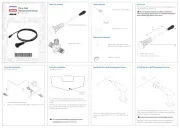
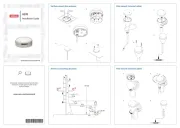
Recon
Mount Controller UI Board
Installation Guide: EN
Document version: 001
WARNING: This product must be installed in
accordance with the instructions provided. Failure to do
so could result in personal injury, damage to your vessel
and/or poor product performance.
WARNING: Performing service or maintenance
without rst disconnecting the battery can cause product
damage, personal injury, or death due to re, explosion,
electrical shock, or unexpected motor starting. Always
disconnect the battery cables from the battery before
maintaining, servicing, installing, or removing motor
components.
In the box
1x Recon™ mount controller UI board
1x upper routing bracket
1x lower routing bracket
3x cable ties
5x M3-0.5 x 8, flange, hex, SS screws
2x #6 x 3/8 pan, T15 Torx
®
, SS screws
3x 1/4-28 x 3/8, button, hex, SS screws
6x M4-0.7 x 18, socket, hex, SS screws
2x #6 x 3/4, pan, T15 Torx
®
, SS screws
Tools needed
#2 Phillips bit or screwdriver
Knife or cutters
2 mm Allen key
3 mm Allen key
5/32 in Allen key
T15 Torx
®
bit or screwdriver
Torque wrench
Dielectric grease
Introduction
The trolling motor’s sensors, cables, and user interface
lights and keys connect to the mount controller UI board
(mount controller board) inside the trolling motor mount.
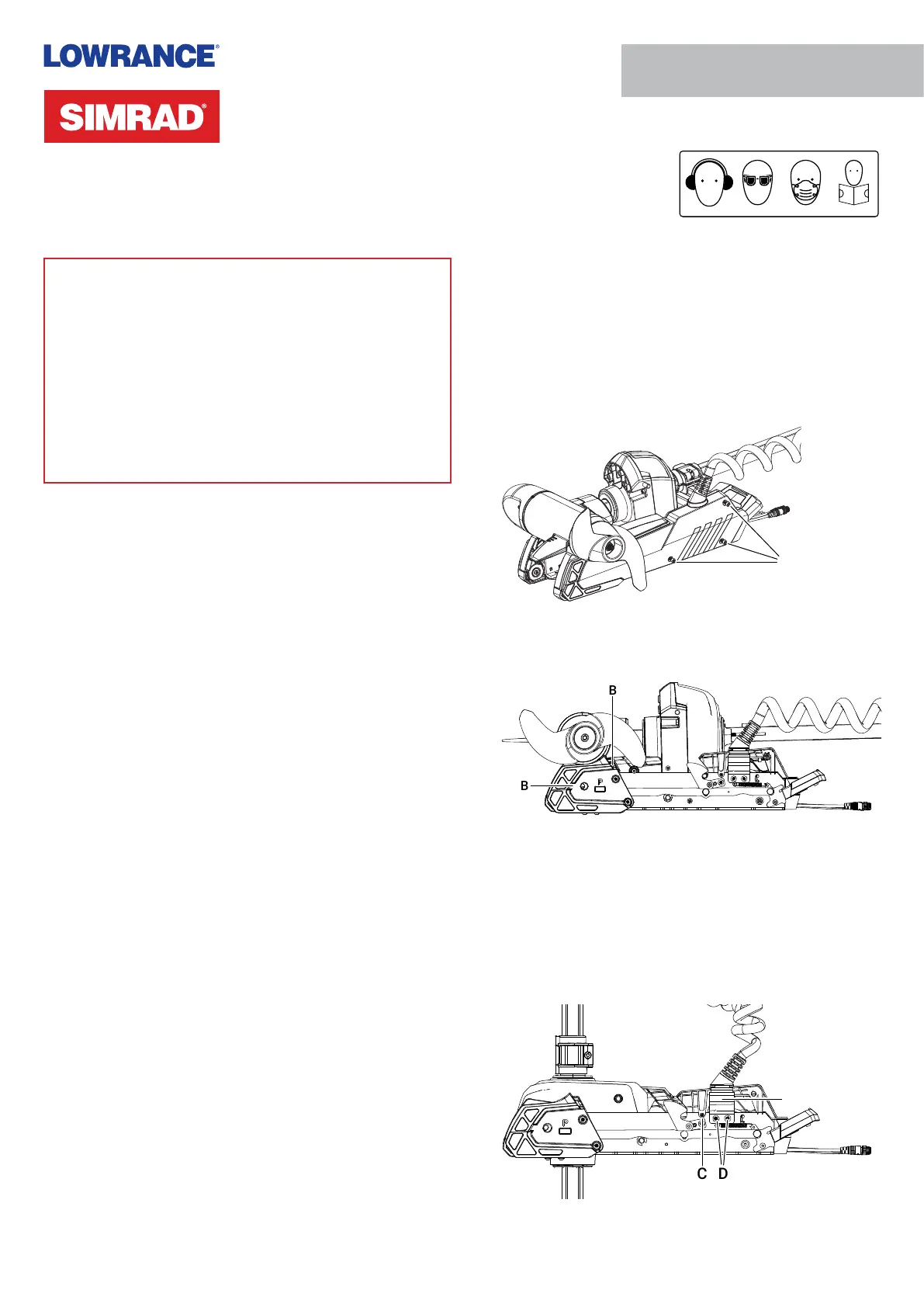
Remove side plates and mount UI cover
1 Disconnect the trolling motor power cable from the
battery (or unplug the power cable if using a plug and
receptacle).
2 While your trolling motor is stowed or deployed, use a
#2 Phillips screwdriver to loosen the side plate screws
on both sides of the mount (A).
¼ Note: The screws are retained by washers.
A
3 Remove the side plates, taking care not to damage the
locating tabs as they leave their slots (B).
B
B
4 Deploy the trolling motor.
5 Use a 2 mm Allen key to remove the screw from both
sides of the UI cover (C).
6 Use a 5/32 in Allen key to loosen the two screws (D) that
secure the coil cable bracket 2–3 full rotations. These
screws have a blue thread-locking compound applied to
them. Ease the coil cable bracket (E) outward from the
mount.
C
D
E


Produkt Specifikationer

Mærke: Simrad
Kategori: Ikke kategoriseret
Model: Recon UI Board

Har du brug for hjælp?

Hvis du har brug for hjælp til Simrad Recon UI Board stil et spørgsmål nedenfor, og andre brugere vil svare dig


Ikke kategoriseret Simrad Manualer
Simrad

Simrad RF70N Manual

31 Oktober 2025
Simrad

Simrad NAC-1 Manual

23 August 2025
Simrad

Simrad IDS Display Manual

22 August 2025
Simrad

Simrad NAC-3 Manual

22 August 2025
Simrad

Simrad SD10 Manual

22 August 2025
Simrad

Simrad GS70 Manual

22 August 2025
Simrad

Simrad MX610 Manual

22 August 2025
Simrad

Simrad RS40-B Manual

22 August 2025

Ikke kategoriseret Manualer

Nyeste Ikke kategoriseret Manualer

Dual

Dual VK9 Manual

5 December 2025
Crestron

Crestron HZ-FP-G4 Manual

5 December 2025
JET

JET JHJ-3 Manual

5 December 2025
ELO

ELO E426758 Manual

5 December 2025
Steiner

Steiner SBAL-PL Manual

5 December 2025
ELO

ELO E176245 Manual

5 December 2025