Brother MFC-J6560DW Manual

Brother Printer MFC-J6560DW

Læs gratis den danske manual til Brother MFC-J6560DW (6 sider) i kategorien Printer. Denne vejledning er vurderet som hjælpsom af 4 personer og har en gennemsnitlig bedømmelse på 5.0 stjerner ud af 2.5 anmeldelser. Har du et spørgsmål om Brother MFC-J6560DW, eller vil du spørge andre brugere om produktet?

Side 1/6
1
EN
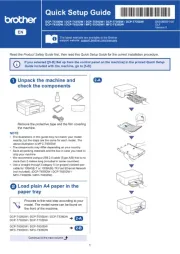
Quick Setup Guide
MFC-J3660DW / MFC-J3960DW / MFC-J6560DW
MFC-J6960DW / MFC-J6975DW / MFC-J6977DW
D03BK3001-00
OCE/ASA/SAF/GLF
Version 0
The latest manuals are available at the
Brother support website:
support.brother.com/manuals
Continue to the next column
Read the Product Safety Guide rst, then read this Quick Setup
Guide for the correct installation procedure.
a
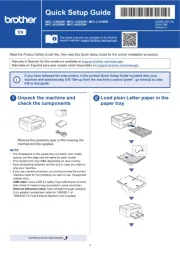
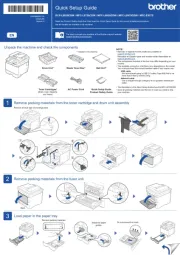
Unpack the machine and
check the components
Remove the protective tape or film covering the
machine and the supplies.
b
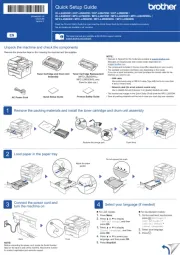
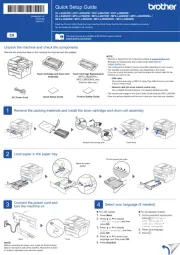
Load plain A4 paper
If you have followed the instructions in the printed Quick Setup Guide included with your
machine and completed steps 1 to 4, go directly to step 5-B.
NOTE
The illustrations in this guide may not match your model
exactly, but the steps are the same for each model.
The components may differ depending on your country.
Save all packing materials and the box in case you need to
ship your machine.
If you use a wired connection, you must purchase the correct
interface cable for the interface you want to use.
USB cable: Use a USB 2.0 cable (Type A/B) that is no more
than 5 metres long.
Ethernet (Network) cable: Use a straight-through Category
5e (or greater) twisted-pair cable for 10Base-T/100Base-TX/
1000Base-T.
NOTE
For more information on loading different media, see the
Online User's Guide at
support.brother.com/manuals.
Do not exceed
this mark (▼▼▼).


Produkt Specifikationer

Mærke: Brother
Kategori: Printer
Model: MFC-J6560DW

Har du brug for hjælp?

Hvis du har brug for hjælp til Brother MFC-J6560DW stil et spørgsmål nedenfor, og andre brugere vil svare dig


Printer Brother Manualer

Printer Manualer

Nyeste Printer Manualer