Elecom MR-K009WH Manual


Læs gratis den danske manual til Elecom MR-K009WH (2 sider) i kategorien Memory kortlæser. Denne vejledning er vurderet som hjælpsom af 4 personer og har en gennemsnitlig bedømmelse på 4.5 stjerner ud af 2.5 anmeldelser. Har du et spørgsmål om Elecom MR-K009WH, eller vil du spørge andre brugere om produktet?

Side 1/2
- 1 -
USB 2.0 Multi Type Card Reader
MR-K009 series
User's manual
Forward
Thank you for purchasing the MR-K009 Series USB 2.0 card reader.
This user’s manual explains how to set up the product. Please thoroughly read
this user’s manual before use, to ensure proper setup of the product.
Safety Precautions
Always observe the cautions issued by PC and peripheral device manufacturers
when connecting and disconnecting this product.
Do not attempt to disassemble, modify or repair this product by yourself.
Doing so may cause a fire, electric shock, or product damage and may void the
warranty.
Do not use this product or any PC to which this product is connected in areas
where water is used or in very humid environments.
Doing so may cause a fire, electric shock, or product damage.
When connecting and disconnecting this product, always touch a metal object
(such as a steel desk or a metal door handle) to discharge static electricity before
touching this product.
Static electricity may damage this product.
If you suspect something is wrong with the product, discontinue use immediately.
Specifications
OS .................................. Windows
®
7(up to SP1), Windows Vista
®
(up to SP2),
Windows
®
XP (SP1 to SP3), Windows
®
2000 (SP4)
Mac OS
®
X (10.2 to 10.6)
In the above OSs, the drivers provided with the OSs can
be used.
Interface .........................USB
Operating temperature ..0 to 40°C
Operating humidity ........0 to 80%
Dimensions ................... 38.5 (W) x 35.0 (D) x 12.0 (H) mm
(Not including protruding parts)
Cable length ..................1.7 cm
Included items ............... Manual x1
Usage Precautions
If the PC is started when a memory card is inserted in this product, a disk scan may
be performed automatically, even if the PC had no previous abnormal termination
errors.
If the PC is started when a memory card is inserted in this product, even if the
device has been connected before, the "Found New Hardware" message may be
displayed.
It may take a minute or so for this product to be recognised by the PC after it has been
connected. Wait until you can operate the computer.
Certain types of media, including older media and media that uses special formats,
may not be compatible with this product.
Before using media with digital cameras, mobile phones, or other devices, format it
with the device that you use.
It may not always be possible to use media that has been formatted using a PC. In
such cases, media can be used by first formatting it on the device with which it is
to be used.
This product does not support copyright protection.
Please follow the removal of this product, to the procedure "5 Disconnect the card
reader from the PC ". There is a possibility the file disappearing.
ELECOM Co., Ltd. shall bear no responsibility whatsoever for any data loss or damage
resulting from the use of this product.
Always insert and remove media from this product with the correct orientation and
alignment.
This product does not support standby or sleep modes.
This product does not support modem cards or similar I/O cards.
Do not use this product in humid or dusty environments.
Do not subject this product to strong shocks.
To clean the product, wipe it with a soft, dry cloth.
Do not use benzene, paint thinner, alcohol or similar liquids.
Only insert one media card at a time.
Media may not be recognised if multiple cards are inserted at the
same time.
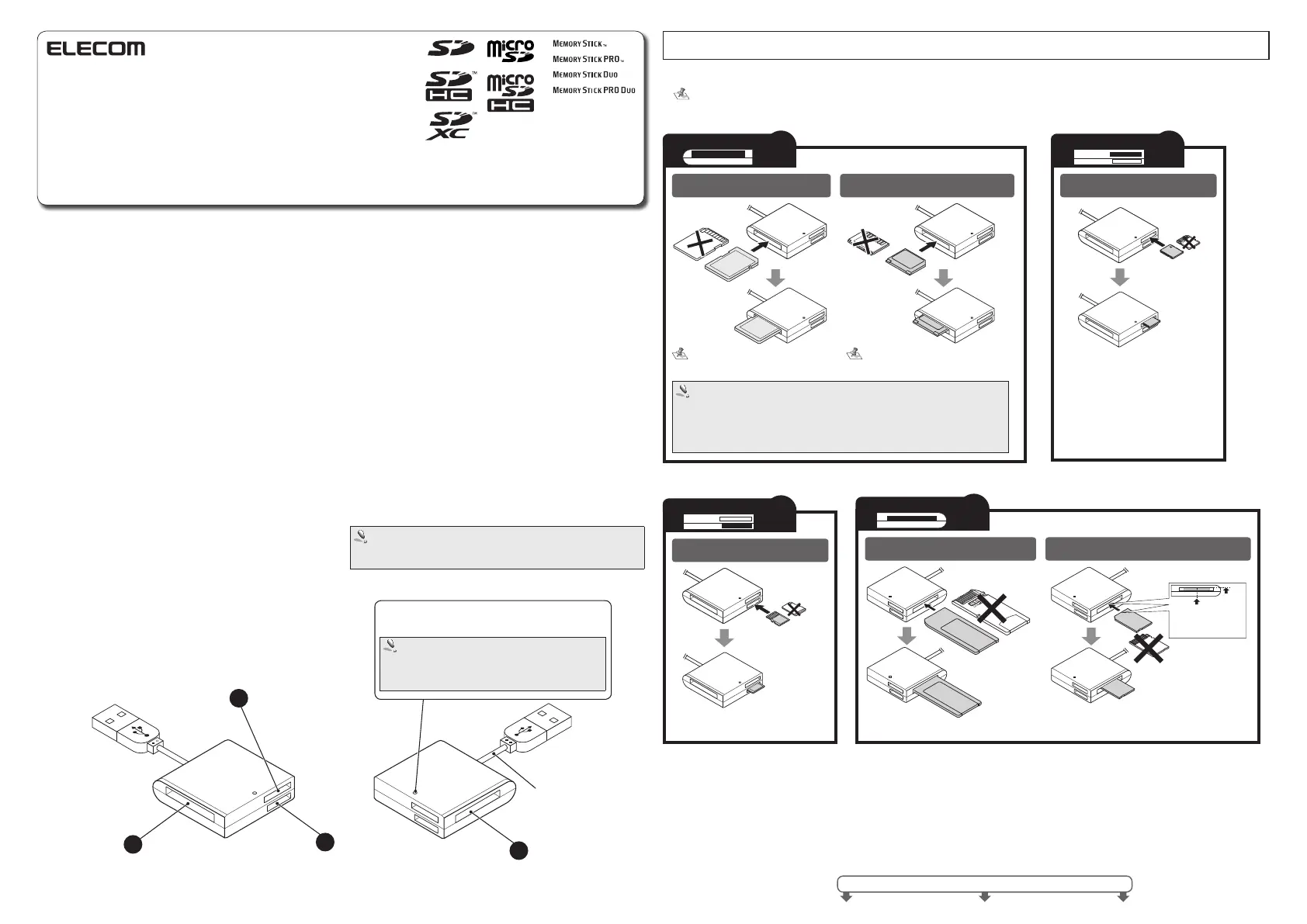
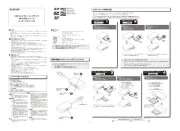
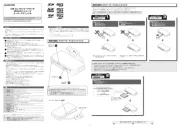
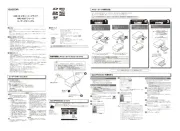
How to insert memory cards into the corresponding card slots
Ensure the memory card is oriented correctly, and insert it straight into the correct memory card slot.
For the latest information on supported media, visit the official ELECOM website.
http://www.elecom.co.jp/global/download/compatibility.html
This product is designed to continue supporting the latest media via firmware updates.
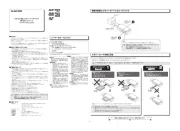
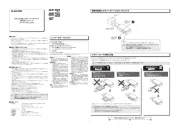
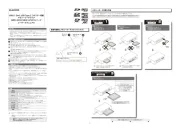
See the reverse side of the manual for information on connecting to/removing from the PC.
Slot
2
Slot
4
Part names and information on the memory card slot and
USB port
Memory Stick Micro (M2)
Memory Stick
Memory Stick PRO
Memory Stick Duo
Memory Stick PRO Duo
Face the terminal
end downwards
Align card with
centre upper edge
of slot
Face the terminal end
downwards
USB cable
LED
The LED of this product will flash when writing to or reading a
memory card.
Do not remove a memory card from the slot while the PC
is writing to or reading from it.
Do not disconnect this product from the PC while it is
writing to or reading from a memory card. Doing so may
cause product damage and result in file damage or loss.
Slot
1
Slot
1
SD Memory Card
SDHC Memory Card
MMCmicro can be written to or read with
the use of a conversion adapter.
Face the terminal
end downwards
Face the
terminal end
downwards
Multimedia Card
Reduced Size Multimedia Card RSMMC
Slot
4
Face the terminal
end downwards
miniSD memor y cards can be writ ten
to or read with the use of a conversion
adapter.
Slot
3
Slot
2
Slot
3
microSD Memory Card
microSDHC Memory Card
Face the terminal
end upwards
SDXC Cards
Can be written to or read directly in Windows
®
7 and Windows Vista
®
(SP1 or above)
For Windows Vista
®
, update to SP1 or above, and for Windows
®
XP, update to SP2 or
above.
Windows
®
2000 do not support exFAT as of Februrary 2011.
Supports exFAT format for MAC OS
®
X 10.6.5 and later.


Produkt Specifikationer

Mærke: Elecom
Kategori: Memory kortlæser
Model: MR-K009WH
Bredde: 38.5 mm
Dybde: 35 mm
Højde: 12 mm
Antal pr. pakke: 1 stk
Brugervejledning: Ja
Produktfarve: Sort
Kompatible hukommelseskort: MMC, MS PRO, MS PRO Duo, MS Pro-HG Duo, MicroSD (TransFlash), MicroSDHC, MiniSD, MiniSDHC, SD, SDHC, SDXC
Relativ luftfugtighed ved drift (H-H): 30 - 80 %
Driftstemperatur (T-T): 5 - 40 °C
Strømkilde type: USB
Kabellængde: 0.017 m
Understøttede Windows-operativsystemer: Windows 7, Windows Vista
Understøttede Mac-operativsystemer: Mac OS X 10.6 Snow Leopard, Mac OS X 10.7 Lion
Intern: Ingen
Indgangsstrøm: 5 A
Dataoverførselshastighed: 480 Mbit/s
Udgående strøm: 150 mA

Har du brug for hjælp?

Hvis du har brug for hjælp til Elecom MR-K009WH stil et spørgsmål nedenfor, og andre brugere vil svare dig


Memory kortlæser Elecom Manualer

Elecom

Elecom MR-K009WH Manual

6 Januar 2026
Elecom

Elecom MR-A39NBK Manual

17 September 2025
Elecom

Elecom MR3C-A010BK Manual

17 September 2025
Elecom

Elecom MR3-D011WH Manual

17 September 2025
Elecom

Elecom MR-K011BU Manual

16 September 2025
Elecom

Elecom MR-K011RD Manual

16 September 2025
Elecom

Elecom MR-A39NRD Manual

16 September 2025
Elecom

Elecom MR3-K012BK Manual

16 September 2025
Elecom

Elecom MR3-A007BK Manual

16 September 2025
Elecom

Elecom MR3C-AP010BK Manual

16 September 2025

Memory kortlæser Manualer

Nyeste Memory kortlæser Manualer