RetroSound WPA1 Manual


Læs gratis den danske manual til RetroSound WPA1 (2 sider) i kategorien TV antenne. Denne vejledning er vurderet som hjælpsom af 11 personer og har en gennemsnitlig bedømmelse på 4.3 stjerner ud af 6 anmeldelser. Har du et spørgsmål om RetroSound WPA1, eller vil du spørge andre brugere om produktet?

Side 1/2
WPA1 Antenna
Installation
The WPA1 antenna is designed to mount inside your vehicle when you are not using
a traditional fender mount antenna.
1. Place the main body of the WPA1 as high in the dash as possible or using the
adhesive backing secure to the upper windshield or rear glass. Avoid placing it
near any high-current wiring.
Glass installation: Clean the mounting area with an alcohol wipe. Using a lint-free rag,
clean any residue off the window. Peel backing off the adhesive strip and press firmly to
the glass surface. Be careful not to press too hard on windshield applications.
2. Ground the WPA1 to a clean metal point close to its body with the small braided
cable and eyelet.
3. Route the antenna cable with the thin black power wire to your radio location.
Connect the thin black wire to a 12-volt ignition source or the blue power antenna
output wire of your RetroSound® radio.
4. Connect the male antenna plug into the female antenna receptacle of your radio.
www .com.retro m a n ufacturi n g
Installation Guide
WPA1
Enhanced Amplied
Hide-away Antenna


Produkt Specifikationer

Mærke: RetroSound
Kategori: TV antenne
Model: WPA1

Har du brug for hjælp?

Hvis du har brug for hjælp til RetroSound WPA1 stil et spørgsmål nedenfor, og andre brugere vil svare dig


TV antenne RetroSound Manualer

TV antenne Manualer

Nyeste TV antenne Manualer

RoadPro

RoadPro RPPS-24KB Manual

3 November 2025
Metra

Metra 40-FD20 Manual

5 Oktober 2025
Insignia

Insignia NS-ANT700HA Manual

29 September 2025
President

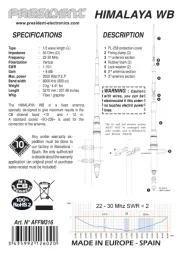
President Himalaya WB Manual

25 September 2025
RAMI

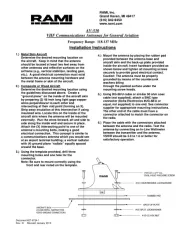
RAMI AV-530 Manual

24 September 2025
One For All

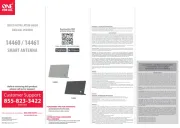
One For All 14460 Manual

13 September 2025
Axing

Axing TAA 3-00 Manual

10 September 2025
Wilson

Wilson 301135 Manual

9 September 2025
Wilson

Wilson 301121 Manual

8 September 2025
Wilson

Wilson 301124 Manual

8 September 2025