Helpline: +44 (0) 23 8049 4344 Sales Desk: +44 (0) 23 8049 4333 General Enquiries: +44 (0) 23 8026 6355 Website: drapertools.com Email: sales@drapertools.com
Draper Tools Limited, Hursley Road, Chandler’s Ford, Eastleigh, Hampshire, SO53 1YF, UK.
Delta International BV, Oude Graaf 8, 6002 NL, Weert, Netherlands. 0524
80872 – INSTRUCTIONS FOR USE
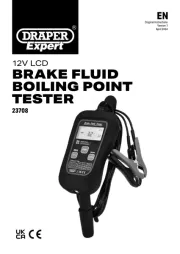
USE TO CHECK THE WATER CONTENT IN BRAKE FLUID
(3) Fluid Quality indicator
(4) Fluid brand indicator
1. Openthebatterycompartmentandt1xAAAbattery(notsupplied).Checkthatthebatteryisttedinthe
2. Press the POWER button (1) to activate the tester and the ‘battery ‘0%’ light will illuminate. If the light does not
come on the battery needs replacing or is incorrectly inserted.
3. Press the SWITCHbutton(2)andselecttheappropriatebrakeuidbrand(4)and(5)tobetested.
4. Removethecoverfromtheprobes(6).Thendipthetesterintothebrakeuiduntiltheprobesarefullysubmerged
andholdfor1second.Theuidqualityindicators(3)willbedisplayedasfollows:-
12 month Warranty - Visit for full details.drapertools.com/warranty
• Important:Readthisleaetandretainitforfutureuse.
• CAUTION!Alwayswearsafetygooglesandgloveswhenworkingwithbrakeuid.Ifthebrakeuidcomesinto
contactwithskin,washoimmediatelyandseekmedicaladviceifnecessary.
• Alwayscleanthetesterprobesaftereveryuseandreplacethecoverforstorage.
© Published by Draper Tools Limited
Lights Displayed Water Content Action Required
Yellow Less than 1% water No action
Yellow/Yellow Less than 2% water Checkuidregularly
Yellow/Yellow/Red 3% water Changethebrakeuid
Yellow/Yellow/Red/Red 4% water Changethebrakeuidimmediately.