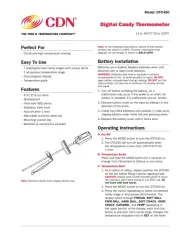
• Candy and high temperature cooking
• 7 preprogrammed candy stages with unique alerts
• 1 all-purpose temperature stage
• Adjustable stainless steel clip
• Batteries & instructions included
Note: Remove sticker from display before use.
Note: In the following instructions, names of the control
buttons are shown in CAPS. Function information that
appears on the display is shown in BOLD CAPS.
Batteries are installed. Replace batteries when LCD
becomes dim or alarm level declines.
WARNING: Batteries may leak or explode in extreme
temperatures or re. To avoid accident or injury, DO NOT
open battery compartment during cooking. put the DO NOT
thermometer unit over re or immerse the display portion
1. Turn off before installing the battery, as a
malfunction may occur if the power is on when the
battery is installed. If a malfunction occurs, restart.
2. Remove battery cover on the back by sliding it in the
3. Install two LR44 batteries with positive (+) side up by
slipping battery under metal tab and pressing down.
4. Replace the battery cover until it clicks shut.
1. Press the MODE button to turn the DTC450 on.
2. The DTC450 will turn off automatically when
the temperature is less than 104°F/40°C for
Press and hold the MODE button for 3 seconds to
change from Fahrenheit to Celsius or vice versa.
1. As a matter of safety, always position the DTC450
on the pot before lling it and/or applying heat.
CAUTION: Always wear a heat resistant glove to touch
the stainless steel stem during or just after use. Do
not touch with bare hands.
2. Press the MODE button to turn the DTC450 on.
3. Press the button repeatedly to select the desired
candy stage or all-purpose thermometer. The
display cycles through THREAD, SOFT BALL,
FIRM BALL, HARD BALL, SOFT CRACK, HARD
CRACK, CARAMEL, and TEMP (appearing in
the upper portion of the display) each time the
button is pressed. Each candy stage changes the
temperature displayed next to on the lower SET
Digital Candy Thermometer